 AERMOD One™
formerly AERMOD Cloud®
AERMOD One™
formerly AERMOD Cloud®
AERMOD One™
formerly AERMOD Cloud®
AERMOD One™
formerly AERMOD Cloud®
From model-ready files to meaningful insights
MeteoViz turns AERMOD meteorological data into interactive visualisations, helping you explore atmospheric conditions, identify trends and understand the data behind your dispersion modelling results.
Built into your existing AERMOD One workflow, with no separate analysis application required.
Model-ready SFC and PFL files are formatted for AERMOD modelling, not for direct visual exploration. MeteoViz transforms the meteorological data already linked to your project into clear, intuitive visualizations, making it easier to explore wind patterns and understand the conditions behind your modelling results.
Read SFC and PFL data with clear parameter names, units, timestamps and profile levels instead of interpreting headerless columns.
Plot meteorological parameters across the modelling period to identify trends, transitions and unusual conditions.
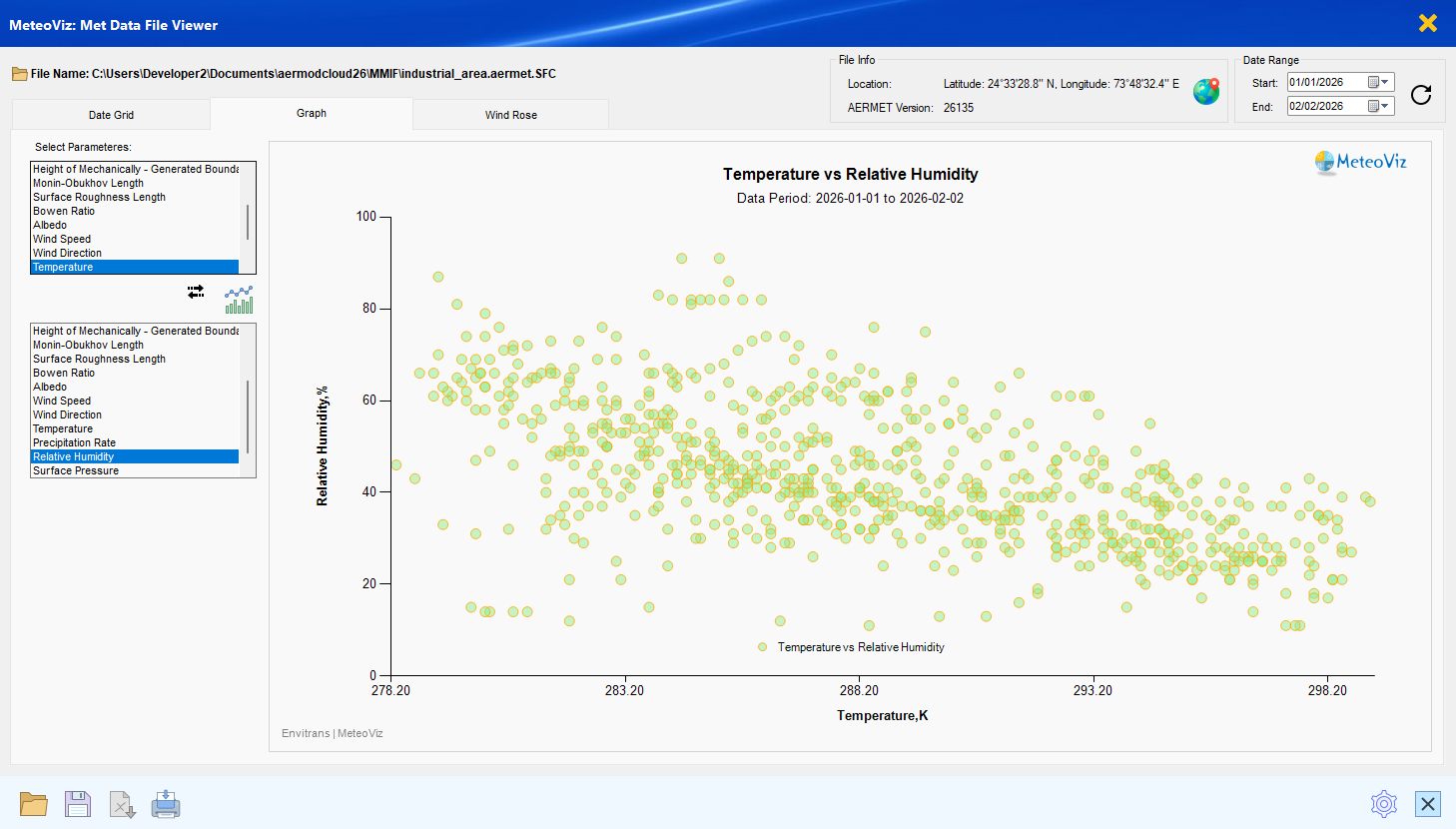
Compare compatible variables on X and Y axes to explore relationships such as temperature versus humidity or wind speed versus mixing height.
No separate application, file import or analysis project. MeteoViz works directly with the meteorological dataset assigned to the active AERMOD One project.
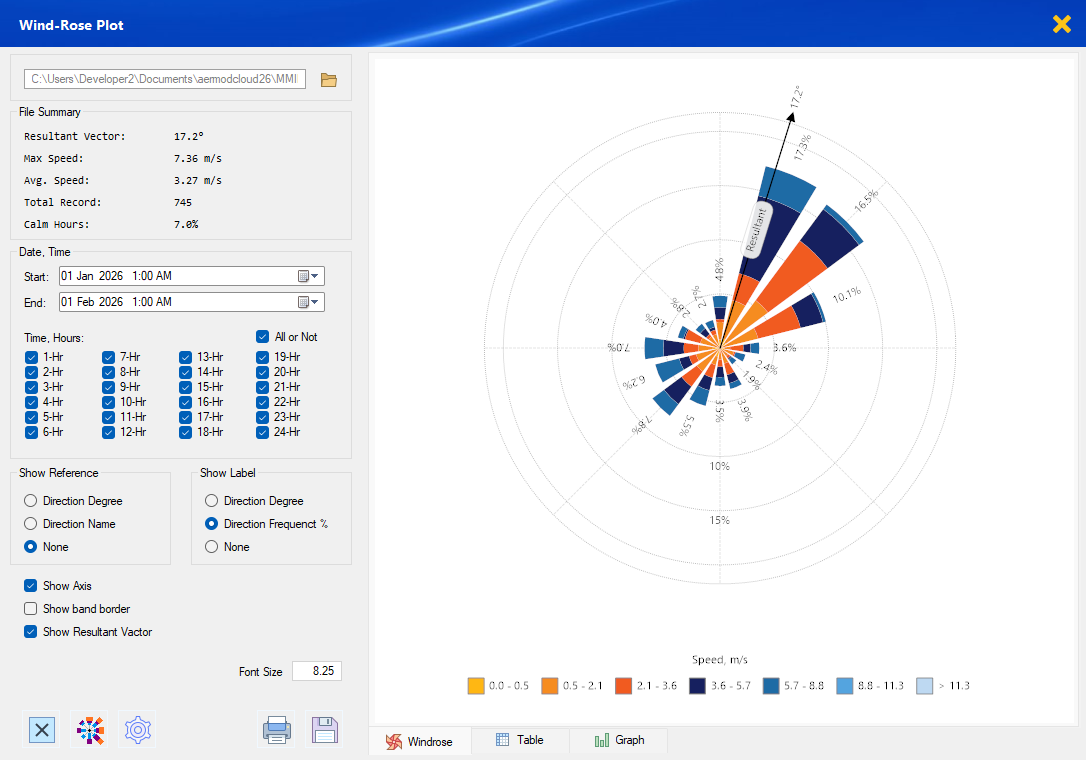
Build customised wind roses from the meteorological dataset connected to your AERMOD One project. No separate application or duplicate data imports.
Always connected
The wind rose is another view of the meteorological data already assigned to your active AERMOD One project. Change the data and the visualisation updates with it.